Custom Activities
Custom activities can be used in any workflow in exactly the same manner as the out-of-the-box Resolve activities. Additionally, these activities have several distinguishing characteristics to make it easier to see that the activity is a custom one.
In the Workflow Designer
A custom activity is marked as such in several places in the Workflow Designer.
In the Toolbox
Custom activity categories will all be denoted by an orange category color and a wrench icon.
Note that if a custom activity category does not have any enabled activities in it, the category itself will not show in the Workflow Designer.
On the Canvas
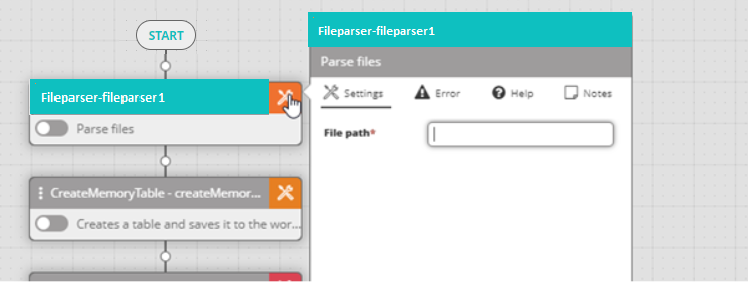
A custom activity added to the workflow designer canvas will show the activity with a distinct teal color across the top of the activity block and activity settings.
In the Execution Log
When running a workflow in the workflow designer, any custom activities included in that workflow will show a (custom) label next to their Activity Name in the Execution Log.
In the Audit Trail
When viewing the workflow Activity Log in the Audit Trail, the Activity Name will be followed by (custom) for all custom activities.
In the Workflow Export
When exporting a workflow, the XML will note any custom activities included in that workflow.